Showing posts with label image. Show all posts

Monday, June 27, 2016

PHP Script Creating Image From Text

CF TextImage Class is a small but useful php script that can generates a image from a string of text using a True Type Font (ttf). This script has some simple uses such as a replacement for Javascript cufon library when Javascript is not available, a replacement for Flash based text or displaying a email address that cannot be programmatically found. This can help to reduce the possibility of your email address being picked up by web crawlers and used for junk mail.

Download Image From Text PHP Script

Sunday, June 26, 2016

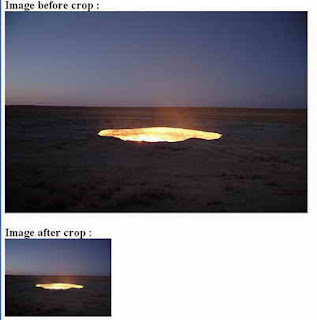
Cropping Image On The Fly

Here is php script for cropping image on the fly:


<?php

// set width, height, source file, file type, destination file

function cropImage($nw, $nh, $source, $stype, $dest) {

$size = getimagesize($source); // get size

$w = $size[0];

$h = $size[1];


switch($stype) { // image format

case gif:

$simg = imagecreatefromgif($source);

break;

case jpg:

$simg = imagecreatefromjpeg($source);

break;

case png:

$simg = imagecreatefrompng($source);

break;

}


$dimg = imagecreatetruecolor($nw, $nh); // create new image

$wm = $w/$nw;

$hm = $h/$nh;

$h_height = $nh/2;

$w_height = $nw/2;

if($w> $h) {

$adjusted_width = $w / $hm;

$half_width = $adjusted_width / 2;

$int_width = $half_width - $w_height;

imagecopyresampled($dimg,$simg,-$int_width,0,0,0,$adjusted_width,$nh,$w,$h);

} elseif(($w <$h) || ($w == $h)) {

$adjusted_height = $h / $wm;

$half_height = $adjusted_height / 2;

$int_height = $half_height - $h_height;

imagecopyresampled($dimg,$simg,0,-$int_height,0,0,$nw,$adjusted_height,$w,$h);

} else {

imagecopyresampled($dimg,$simg,0,0,0,0,$nw,$nh,$w,$h);

}

imagejpeg($dimg,$dest,100);

}

$image_ori = "image_ori.jpg";

$image_crop = "image_crop.jpg";

// run crop function

// width, height, image_ori, image format, image_crop

cropImage(225, 165, "$image_ori", jpg, "$image_crop");


print "<h2>Image before crop : <br> <img src=$image_ori> <br><br>";

print "Image after crop : <br> <img src=$image_crop>";

?>


Friday, June 24, 2016

Anti spam Image Generator PHP Script Protect Your Blog From Spammers And Bots

Anti-spam Image Generator php script will render PNG image with code to protect your blog/comments/feedback section from spammers and bots (known as CAPTCHA).

Requirements:
  • PHP 4.0.6
  • GD 2.0.1 or later
  • TTF font to use for rendering code. By default it uses arial.ttf. You can find it online.

Features:
  • You can define characters set to use (by default 0123456789)
  • Customizable code length (default is 6)
  • Easy to use / light server load, not overloaded with features

Sample usage:
  • Add this html code where you want to place antispam image: <img src="http://www.website.com/path/to/antispam.php">
  • Add field to the html form to enter code, name it anti_spam_code: <input name="anti_spam_code">
  • Add following check in the php code to check if user entered CAPTCHA correctly:
@session_start(); // start session if not started yet
if ($_SESSION[AntiSpamImage] != $_REQUEST[anti_spam_code]) {
// set antispam string to something random, in order to avoid reusing it once again
$_SESSION[AntiSpamImage] = rand(1,9999999);

// here you add code to let user know incorrect code entered
...
}
else {
// set antispam string to something random, in order to avoid reusing it once again
$_SESSION[AntiSpamImage] = rand(1,9999999);

// everything is fine, proceed with processing feedback/comment/etc.

...
}

Download Anti-spam Image Generator PHP Script

Wednesday, June 8, 2016

Easy Ajax Image Upload with jQuery PHP

In this tutorial we have a simple script which will Upload an Image using jQuery Ajax with PHP, we have simple file uploading tutorial on this blog but how about using ajax, it is very simple to upload an image to the server via jQuery ajax() without refreshing the whole page, once an image was uploaded it will be viewed on the same page. PHP code was used at the back-end which will select and upload an image and the uploading process will be done by jQuery ajax() method, let's take a look.
Easy Ajax Image Upload with jQuery, PHP without Page Refresh
Read more »

Monday, June 6, 2016

Batch Image Manipulation

This is an OO class developed by scott to handle batch image manipulation, 
like making thumbnails of all images in a directory -- or stamping 
text onto all images in a directory. 

BatchImageManip v1.0 supports only "text stamping" and thumbnail creation. 
More features are planned, like resizing all images to a maximum aspect, etc. 

For some idea of what this class can do, please check out some of the sample images. 

You can downlo0ad the class here (4kb)


Thursday, June 2, 2016

Free Image Verification Captcha Script In PHP

DRBImageVerification is a simple anti-spam image verification, or CAPTCHA, script. It allows you to add a challenge-response test to your existing PHP powered forms to prevent automated spam postings.

Features

  • Quick and easy to install.
  • Verification string length and character list are configurable.
  • Requires a session cookie, for additional obscurity.
  • Includes an example PHP page demonstrating how to add a verification image to a form.

Download Image Verification Script

Wednesday, May 25, 2016

Simple Image Gallery Image Gallery Management System In PHP

Simple Gallery is an easy to use image gallery management system written in PHP and utilizes jQuery, MySQL, and the GD Library. It allows multiple categories and subcategories as well as image hit / download tracking and a built in installer. Also, the latest version adds support for Thickbox displaying of images when downloading.

Requirements
  •     PHP 5+ -http://www.php.net
  •     GD Library – http://www.libgd.org
  •     MySQL – http://www.mysql.com

Installation
  •     Open “inc/config.php” and modify the settings to your liking
  •     Do Not Run the “install.php” script before doing the above
  •     To use an existing mysql database, just set “$db” in “inc/config.php” to the DB name you wish to use
  •     If the DB name you specify in “$db”, the install.php script will attempt to create it for you.
  •     3 database tables will be added to your DB name above “freephp_gallery, freephp_gallery_admin, freephp_gallery_category”
  •     The directory you specify for “$base_dir” should be chmod to 777 (full permissions)
  •     When you are sure your settings are correct, run the “install.php” file
  •     You will be asked to create your admin username and password on the install.php page
  •     After completing the install, REMOVE “install.php” (running this again will remove any data from your Simple Gallery tables)
  •     Run “login.php” to login as the admin username and password you setup so that you may start using Simple Gallery

Download Simple Image Gallery PHP Script

Tuesday, May 24, 2016

Securing Logo Image

Sometime, you may want to secure a logo (image) on your user-interface to avoid some replacement.
In that case we can encode the image to a text-base code. To do that we need img2php class which can be downloaded from phpclasses.org or you can download it here (12.7kb including samples) 

Following are the example of steps after extracting the package:
1. write this script
<?php
require_once("img2php.class.php");
$t = new img2php;
$t->generate("images/"); //place image(s) in a subfolder
?>

2. run the script and the result should be similiar to this:
<?php
        
/**
 * gonximage class : Generated based on directory (images/)
 * 
 * @package 
 * @author Ben Yacoub Hatem <hatem@php.net>
 * @copyright Copyright (c) 2004
 * @version $Id$ - 2009-03-11 11:03:42 - gonximage.class.php
 * @access public
 **/
class gonximage{
    /**
     * Constructor
     * @access protected
     */
    function gonximage(){
        
    }
    
    /**
     * Return image based on it name
     * @access public
     * @return void 
     **/
    function getimage($img){
        switch($img){

            case "orchid_jpg": 
                gonximage::orchid_jpg();
            break;

        } // switch
    }
    function orchid_jpg() 
    {
        header("Content-type: image/jpg");
        header("Content-length: 3980");
        echo base64_decode(
/9j/4AAQSkZJRgABAgAAAQABAAD/4QDmRXhpZgAASUkqAAgAAAAFABIBAwAB.
AAAAAQAAADEBAgAcAAAASgAAADIBAgAUAAAAZgAAABMCAwABAAAAAQAAAGmH.
BAABAAAAegAAAAAAAABBQ0QgU3lzdGVtcyBEaWdpdGFsIEltYWdpbmcAMjAw.
OTowMToxMiAyMjoyOTo0MwAFAACQBwAEAAAAMDIyMJCSAgAEAAAANDE4AAKg.
BAABAAAAjAAAAAOgBAABAAAAtAAAAAWgBAABAAAAvAAAAAAAAAACAAEAAgAE.
AAAAUjk4AAIABwAEAAAAMDEwMAAAAAAAAAAA/8AAEQgAtACMAwEhAAIRAQMR.
Af/bAIQAEw0OEQ4MExEPERUUExcdMB8dGhodOyotIzBGPkpJRT5EQ05XcF9O.
UmpUQ0RhhGJqc3d9fn1LXYmTiHmScHt9eAEfISEsJixWLy9Wtnlneba2tra2.
tra2tra2tra2tra2tra2tra2tra2tra2tra2tra2tra2tra2tra2tra2tra2.
/8QAfQAAAwEBAQEAAAAAAAAAAAAAAgMEAQUABhAAAgEDAwMDAwIFAgcAAAAA.
AQIRAAMhBBIxIkFRE2FxBTKBUpEUI0KhwWLwJDNTgrHR4QEBAQEBAAAAAAAA.
AAAAAAAAAQACAxEBAQACAwEBAQAAAAAAAAAAAAERMQIhQRJRcf/aAAwDAQAC.
EQMRAD8A+Z27Z2z+9TvMnP70EEZFVWDkoNxLHAUSTUlbaXWEqnpNJHcgUGo0.
OotWTddITuQQRTgkJdYFU25HvVmlABJ2kmDAB5NZUW20Ny2Oob2wYMwa5mss.
ulxpuM6ziaoQh2stNsEMVwVNWAJeVXuXkJVRgdh4ihNt27aEujQQJWDg0u2w.
fUJniSe3aoM0OxpDuVYnEGKsuWNiH0wNwMjMH8UKJtLq7670tKqiYI3ZFeur.
eYgq63BESQeacJAVYJIPSfepW5rQpulsNqdVasoQC7RJ4FfV2PpVnSs3pKN7.
AdTGSBSjGt2wwV0LgZHsfak/WbUaUskKsdS+ak+fNolCVE7cz3irNKVu4mIg.
xMTWaYdeuPatuqgm48FXUQB+KUbY9A22YzPJ7+9FuJlJy1knYoYieO1MNq1A.
YWyrg8HI/NEytml2AXaUBmGBH96l1LGcRkT0056QdJYfUXgiR5JPAFX6nTW8.
FLm+B0v7+KyEmmO7VFNuWQhiTn3pyuqCEJRey+K0XLvXNywuFpKqWaBWg6n0.
i36d/wBTp3CIJ4Hmvpdz4KERzNSA0m4HCqGmJnkUvX77mkuLG6RxExUnMura.
tkJaZciWgf5pFpQLoYHacRmAaK1HRvulth6ZyIYHb/nxU8+mEuXllbslSe+a.
57o9eVbLFzaSSMkqYoAVKjcu2RwDMVvJKZV3STDeIg1Ldy5Az4qorrfT7Oy0.
bTpbAYHcwMk0q8hRQyMNhP2gd4q8V05+tyi3F8waG1qwEAeZHeidwSo2iKAG.
DIradn6FcIvOpkg8ECYrsKdkxPwJmhMe8ysBbUufkRVGnu3Cx3IsjHPIqKP6.
npdMGHpMttoACREz3moLe2yYvITCmARVaQXr29QxG0QABMxTnu+tobKm4OnK.
qF7d5Nc+O8sFDU2reAN3v2NaNSbpJNsKAfMzWpKZl4FDhTj8mljb/EAttCqZ.
JPGKqVVvU6f1J3S5IgjAodX/AC1CNG4HI71K6TFBctlSCfzFRtZhiJGKeOhx.
Tv7dqCtJ2PoaEXnYKSIg+1drcA0HGJyc1It1AclVcmMHsPmt07/zCCruR3PA.
+B3rOSn+tEpqxbcFbYSVAPPz+a5dtepg0zg/imoF5uxqzSacHR3n2boXie3e.
scYzCLqWXO+0nphvtWeKTuviZuEDiK3toxGa4yBoI/amhU/iMHoJgg0JWtqy.
ok7Qf3qPWX/X1BYRAEfNFop+lQOpJMHt8VzPqF3dq2KYBA4p4rxMxzWKYYE9.
jWk7305iPUuIpYv1Ae3k0+5buuAVRF7FgZrNzUXd09y0ktcESAINGNBf+62Z.
HYzFY+BhPqWe422+SzoNoLGStSKGW5/MMk8GqXymUFwTdFdT6OzkXVFtrig5.
AHtWuIc/UPt1VxYKwxEeKAvJ+4kfFarR2nEFjBgftQjqvkiBPk0Iy8w08xBd.
lgY4qe2hcwO3JovbNX/xFuzaLFVWcoQ0wRj/AHNcW4xe4zQMntWo1S25rBk0.
h9B9Ihm6iV6IxiuqLW1Zlo92oKLWujWQqtPVOTTRc9EP6VwNuEQW4o9Dl3lI.
1F5nbG6cGZpfqKTBBHfNYszcs0piDcBBrpfRruy/cQ94IrXFI/qqEa664jqa.
QO/FTKxJgqa6VpSpe3psdzJrdHYVldrwMROe9ZiTNl/0jsvgVdp1A05KMp8g.
DNChGuVTb3qI8gcVzjSaWfetTDg+DSH0H0tgAbjQoHJ8Vbe1xIK20keTms2i.
1NdW4be9yIHArz2bSaI3t0tH21n+pzr7XbV3YUjpBiPIxSy7RJCmMExFanHp.
YLw0sDwacjPb1QdGCyMGKJ1RgLXN2pbfxxzNZt9RkXJPBIroR6tiibRxxSl1.
IW0UAMtzNZJa3QrZUEVRb1luACjKeN4af7UEWq1G+ztLA8RAioDE0xANFaE3.
UB/UKQ7emtEyqHAJPtV9tb+2FKKvMBZrM7E/S2F4q2+P2z8VNecjStaYKMg5.
5+Kaah11/wBfWM4IEACV4wKmDbt3UT3x5pgaoi3mcnnzV2l2OFkCRjNHLrtE.
am2F1lxSCscT2xWWztuE4kGcUp6+5uhS0AA8ipGA34qmi9E1m2BNBbkjNYak.
X2p2nQ7w/YVXTLq6dbjrCPtnPzTES8uU3YPaud41Na+4lb0knyYNK1Ny16AC.
ElyZJimXypBfSTuXhhM+KWAQRwBGZNdJpNLCJDETwO1O0N4C7sYAg5E9jVy0.
of8AUri3dcLkGCgk+SKQud0c1Z6RdyBg/FKMHirwiVl4YfmsOfighmO1ZUnr.
NsXLqqTA5J9qM3N14EYWYA8Cpl39LY9TT2yHAAzx2qxQUlVUkN24qKUvZ3Ot.
44HZhx+a5Ope0brGwCE4A80XtAtxcQ22kdxipn6SQce1PH8DRBAJbNN0ybtQ.
g88mm6SjV2ybf+pDB+KTbuemoSARR4SiSxMKBmvKATEgfNaTdkSIojaKqDz5.
IzQSmFATUmWjDkExuBE0KSD8Gpl9Noyz6W0VU9IIBBP70yLhBDdQ7E0FzdUh.
N4sDt7R71MzG3G2J81bQBq7g5g96cqW9Zb+8I9Zx83ISXbfpXyjCCDHHNUaJ.
guqXd2BwDW7pKtXcF+87ICo2iQT3qEIQ59qJ2WSAZOc0BHkT7VqqGephQqx+.
qc1623pPI4J/FBLvOCzQQc8ilVAlua1DBikPotDetDRormTk9Jz+1He1FoAi.
30tGIb/FZaRXifVAYjil2yhvKHAOcDzVAicje3bNarFXlJArV7C9Wt6yyLbD.
beUdDE5PsalsqVvLHIMGeaz5hKbsjUOo/RUxuFfzzVIggT8mmFYWc+8itUwe.
0QCYIPcGsujYkE89jWSiwK380gp+aEUh2rGm3KjqWDBRB4imsbuFN1GAzgzH.
zWWisv8A0sfn/fFT7AbkEwQCRBmkJWHV5rwwczmkDt7/AFAbYZiOwrqGxb1B.
W+7i3eWAV/Vjmi9IDSly41uC3ABM4qK+mxp3AqcA+9UQJjpJmjFzGwzAyM1U.
wPqm3clIg8ituvv6gecDFBI2zQwRxSAPzXrab3C+TSHfBkqtxnuKFEAHFZfZ.
iem2oAwBOKzGk7bWMOjk/wCk/wCKXjcxW3G1Seo5NIThAbJYkyrBSPkf/KNr.
PUI7fdJpCsXLaAqjBCB+mmWthsNctyGRgGg9vNZ2ShcQXCSJ3H7iOa81i3ca.
UaFjgfbjmqIu2AwIUCP/ADSL2nuqGZQWRRJI7VraTTOa0H9qE2SOa0MPNST0.
3TwLykmADSHURmu37aWxCwMd6s9E7txhT2JzWY0y3tJYsWbEiO5qHWsnVsVh.
7mlEaUFkdCCVOcdiKbZS7dJZV6eQGyW+KgW79cSUPecU/wCnvsveqIIVgDnt.
QhXLatddYARbuY8TS9BdNy69tgCCWdR481JruC+1FiMye/5plqzfaTkeAMVL.
CHXFRqXVbartMSBE1PNKbM4mtGB5qRNNsD+YJqDp/T3Fq4xAUuRgt2qh3OVa.
5zkxxQ0TduKSFAiBG5TNBfQHSBgQSzHHepEIVs2JYgk/aoPHuaYmrLNb3ZH2.
8R+aqG6tWcExIB2yRXtPstWkRxDOTM578VJt0+k52loDTExuP/qjt2VtTfAg.
mCrXG796kFrwt3i1na4bCqRge5NFeYukBjtcHaFPJ8VFzXZjh2YxjJpZFIYO.
aMTGDSC6ZZ/5q0J09KP5hNpASO0zNUm0bn3LsJ5E1NFtYffChf8AtM0rUJsg.
HDHDeSKEjS2r3Nu6BPfis6PVChscA0hWxLaJFcxcuHcR5AxS/wCFdihJMgcj.
t+akbf8ATtohzdcKeeDUt03NQwLsW+aojtOCpFpoKET8fmp72o/pX7fBHej1.
J3uNcMsSaCtBoEmjmMVINahgg+KE62hUQXYOe3TzVTqSubYVAeWMn80NF2yi.
7mBPEAxUl4yJA9ppSRpEzWW7fqXEtjG4gUsryy3dQWW2zW0wpmAAMCtO9rpV.
rgZQJAHjtiskGoG1kMgAiBU7MQohBnkgRUjbd1ltm2m0TnjJHcTXPeWYk0xU.
NaKQPAFYBNSYK0UF2/p4Dactv9Pb5ODThcRV22wXnlu1BR6vcz9TLPtU119q.
qQeo0ikdqdpRta5e/wCkhI+TgUh4qqKqtdF3wiExVN656FlNwXeE7D+1BSX7.
j7/SJxgmexivWrxtXGK5BEc4qQLbuL28RMznihu2SssIAOY8VAmK8BUm96YA.
IpIOK0ChOvZtyioZJCzAHFUekFX7o+eaIU1zYDltznuDgVFeGcCY5pgpXYCi.
FxhZNqRsZtxxk+KQ2yAjBzkLmnrF9LW5TL3SOcAYmgkXnS4zsBBZifx2pPya.
k2TtPtS97EQWJFIZXu1CaOaaaiXRJlh81J1NGGF9yC2QRg5NPF1P6gXnHMCg.
prlxVB2ruY9+AtSXAWPME5OaQHvt4oWEZPekPAYnFX2Rt06uYiyrEgfqbAFC.
c6OkV7kQKk8eDQqmc1J51igqQ0HWKZUSxWrUlqsRicHBqstssEqqz8UETWw9.
gseR4qJ7am0W7gUolz1/igbO4eKgJAN0e1Ux/wALYXtcutu94gCkJHADECh7.
VJ5hFBuM80J5uaGpDT7hRVF//9k=.
);
    }


}
?> 

3. copy and save the result above (for instance encode.class.php)
4. write a script to show the image (show.php):
<?php
include "encode.class.php";
$img = new gonximage();
$imgfile = "orchid_jpg";
$img->getimage($imgfile);
 ?>


Monday, May 23, 2016

Creating an Image Gallery from Folder using PHP

Creating an Image/photo gallery from a folder or directory of pictures, images using PHP is easy no MySQL database needed, so in this tutorial i am going to tell you that how to create image,photo gallery using PHP from an images folder, here using some few lines of PHP code you can generate image gallery or thumbnails to display images from folder and show as a thumbnails on browser easily, so take a quick look at this tutorial.
Creating an Image Gallery from Folder using PHP
Read more »

Tuesday, May 17, 2016

PHP Image Magician One Of The Best Image Manipulation PHP Script And Its FREE!

PHP Image Magician is an open source project that uses PHP GD to perform image manipulation in an easy, succinct way.
Resizing, cropping, watermarking, adding text - has it all!

Features Of PHP Image Magician script

  1. Easy resize: Resize to landscape, portrait, or auto; then crop in one fell swoop!
  2. Watermark: Add watermarks to your precious photos. Photo theft is serious. Preserves transparency.
  3. Shadows & Reflections: Add gloss and/or depth to you image. Apple would be proud.
  4. Transparency support: Supports and preserves transparency where possible.
  5. Full crop capabilites: Choose the region to crop with a shortcode (t=top, tl=top left, etc) and crop away!
  6. Text: Caption that image. Then caption it again.
  7. Borders, Rounded corners, Rotation: Add borders. Not a 1px black border, a realish border. Rotate and sand off em corners.
  8. Image type conversion: Convert from one image format to another, including BMP.
  9. BMP support: Read and write BMP support is offered for you legacy, Window loven bumpkins!
  10. EXIF metadata: Reads EXIF metadata from your digital photos.
  11. Effects & Filters: Grey scale, black & white, sepia, negative and vintage.
  12. PSD read support: Weve added a PSD reader library for PSD support. This file is not maintained by us.

Download PHP Image Magician PHP Script

If you ask me personally, this is the best PHP manipulation script.It is so powerful and does it all.So it is a must download for people dealing with Image Editing.

Besides, if you want us to deliver similar interesting PHP Scripts, as the one above, directly in your Inbox, then Subscribe below and dont forget to activate your Subscription.

Enjoy!

Wednesday, May 4, 2016

Image Gallery PHP Script

Description Of The Image Gallery PHP Script


PHP Gallery is a PHP script designed for displaying a thumbnail table of images. The script was originally designed for Helen Peppe.com.

PHP Gallery does not make use of any database systems. Its design is very straight-forward and its code as simple as possible. It is, perhaps, slightly more difficult to use than other PHP gallery software in the respect that it requires you to generate the thumbnails yourself; this is no accident, as I believe that tasks that can be done and completed once should not be done multiple times. Ive always thought it inefficient for the PHP galleries to compress all the images every time theyre called upon. It adds a significant amount of code bloat and server strain.

If you are interested in using this script, please download it from the link below. Some installation documentation is at the head of the source file.

Download Image Gallery PHP Script

Watermark Image PHP Script Create A Watermark Image In PHP Using Another Image

The php script will watermark image using another image. A simple approach to put your company logo or copyright notice on the image, thus protect it from stealing.

Package contains example for watermarking all the jpg images in a folder. Can be easily changed to process gif and png images.

How to use:

  • Unpack php  files, and save them on the server where you have images for watermarking.
  • Update watermark_image_example.php to match your requirements: set images folder and watermarked images folder.
  • Open the file in browser, and it will generate watermarked images according to your settings.
Download Watermark Image PHP Script