Showing posts with label html. Show all posts

Tuesday, May 17, 2016

Simple HTML Form Validation using jQuery

We have seen server side form validation using PHP and Client Side Validation using HTML5, and there is also another way to validate HTML forms using jQuery, you can set user defined error messages and it's easy to handle form validations using jQuery, so this tutorial will show you that how to use jQuery to validate forms, we must validate the forms either client side or server side to store and get authenticate details from the users, so this one is also easy to implement in your webpage forms, so take a quick look at this tutorial.
Simple HTML Form Validation using jQuery
Read more »

Sunday, May 15, 2016

wysiwyg web edit WYSIWYG HTML editor In PHP

wysiwyg_web_edit is a web-based WYSIWYG HTML editor  php script designed to generate HTML code directly from a browser (IE or NS) in a WYSIWYG view, so you dont need to know HTML to use it. You have a wide variety of functionality as create links, insert images, manage tables and lists, undo and redo, cut-copy-paste (OLE compatibles so you can paste datasheets and formatted text) and it can be easily embedded in your web pages. It uses an ActiveX control, and in the case of Netscape, a plug-in (to run ActiveX on NS). Once you are finished you can easily submit the content to a CGI and store it in a Database. The application is available in three languages (English, Spanish and Catalan).The wysiwyg_web_edit is written in HTML and JavaScript, and it uses PHP as a server-side language.

Download WYSIWYG HTML editor PHP Script

Wednesday, May 11, 2016

How to Remove php html Extensions with htaccess File

hello friends, in today's tutorial you will learn how to remove .php and .html file extensions from URLs using .htaccess file, you might have seen that some sites did not displays .php or .html extension even they are created in core, normal php, you can also do the same for your site or projects using .htaccess file, recently i was working on my project and i wanted to remove the extensions from my website, in order to make the URLs more user friendly. so i was thinking why not to share this simple .htaccess tip with you, well this was first .htaccess post on my blog and i will post some more tips and tutorials on this blog stay tuned, let's have a look.
How to Remove .php, .html Extensions with .htaccess File
Read more »

Tuesday, May 10, 2016

PHP HTML Form Example

Use this example as a form walkthrough. We will briefly build an HTML form, and call the form data using PHP. PHP offers several methods for achieving this goal, so feel free to substitute alternative methods as you follow along. Our example will show you a method using a single .php file, combining both PHP and HTML in one simple text file, to retrieve the data and display the results. Below is a quick review of bullets, check boxes, text fields, and input fields and using them to build a form to retrieve some personal information about our user.

Building the HTML Form

Step 1 is to build the form document to retrieve user date. If you already experienced using HTML forms, this should be review, however, if not we recommend a brief visit through the Tizag HTML Forms Tutorial. The code below shows a simple html form document set up to retrieve some personal knowledge about our user.

Input Fields

Input fields are the simplest forms to grasp. As mentioned in the Forms Tutorial, just be sure to place the name attribute within the tags and specify a name for the field. Also be aware that for our forms action we have placed the $PHP_SELF super global to send our form to itself. We will be integrating more PHP code into our form as we continue on so be sure to save the file with a .php extension.

Code:

<html> <head> <title>Personal INFO</title> </head> <body> <form method="post" action="<?php echo $PHP_SELF;?>"> First Name:<input type="text" size="12" maxlength="12" name="Fname">:<br /> Last Name:<input type="text" size="12" maxlength="36" name="Lname">:<br />

Radios and Checkboxes

The catch with radio buttons lies with the value attribute. The text you place under the value attribute will be displayed by the browser when the variable is called with PHP.
Check boxes require the use of an array. PHP will automatically place the checked boxes into an array if you place [] brackets at the end of each name.

Code:

... Gender::<br /> Male:<input type="radio" value="Male" name="gender">:<br /> Female:<input type="radio" value="Female" name="gender">:<br /> Please choose type of residence::<br /> Steak:<input type="checkbox" value="Steak" name="food[]">:<br /> Pizza:<input type="checkbox" value="Pizza" name="food[]">:<br /> Chicken:<input type="checkbox" value="Chicken" name="food[]">:<br />

Textareas

In reality, textareas are oversized input fields. Treat them the same way, just be aware of the wrap attribute and how each type of wrap will turn out. PHP relys on this attribute to display the textarea.

Code:

... <textarea rows="5" cols="20" name="quote" wrap="physical">Enter your favorite quote!</textarea>:<br />

Drop Down Lists & Selection Lists

These two forms act very similar to the already discussed radio and checkbox selections. To name a selection form, place the name attribute within the select tags at the beginning of the form, and then place the appropriate value to fit each option.

Code:

... Select a Level of Education:<br /> <select name="education"> <option value="Jr.High">Jr.High</option> <option value="HighSchool">HighSchool</option> <option value="College">College</option></select>:<br /> Select your favorite time of day::<br /> <select name="TofD" size="3"> <option value="Morning">Morning</option> <option value="Day">Day</option> <option value="Night">Night</option></select>:<br />

Be sure to check through your code to double check for bugs or errors especially look at each name attribute to be sure your names are all correct. As far as names go, you can copy the ones shown or simply make up your own, just be sure you remember what they are. Your form should be similar to the one shown here.

Display:


First Name::
Last Name::

... Gender::
Male::
Female::
Please choose type of residence::
Steak::
Pizza::
Chicken::

... Select a Level of Education:
:
Select your favorite time of day::
:

Submission Button

We mentioned that the submission button was missing. Nows the time to throw it into the existing code. The button is the same as any submission button, the only thing we need to be sure to add is a name to it so we can call it later using PHP.

Code:

... <input type="submit" value="submit" name="submit"><br /> </form><br />


Retrieving Form Data - Setting up Variables

In PHP there lies an array used to call data from our form. Its a superglobal of PHP and its one that is great to have memorized. $_POST retrieves our form data and outputs it directly to our browser. The best way to do this, is to make variables for each element in our form, so we can output this data at will, using our own variable names. Place the following lines of code at the top of your form file using the correct PHP syntax.

Code:

<?php $Fname = $_POST["Fname"]; $Lname = $_POST["Lname"]; $gender = $_POST["gender"]; $food = $_POST["food"]; $quote = $_POST["quote"]; $education = $_POST["education"]; $TofD = $_POST["TofD"]; ?>

All we are doing here is making easier variable names for our form output. With the above statements, we can call our data with ease! Any capital letters under the name attribute must match up with your statements above, avoid overly complicated names to simplify your debugging process and it can save you some frustration as well.

$PHP_SELF; - Submission

For the form action, we will call PHPs $PHP_SELF; array. This array is set up to call itself when submitted. Basically, we are setting up the form to call "formexample.php", itself. Heres a glypmse of how to do just that.

Code:

... $quote = $_POST["quote"]; $education = $_POST["education"]; $TofD = $_POST["TofD"]; ?> <html> <head> <title>Personal INFO</title> </head> <body> <form method="post" action="<?php echo $PHP_SELF;?>">

We now have a completed form ready to receive data and display results. However, we need to adjust things so that once the data has been submitted we are directed to the results. Typically, we have a completely new .php file that receives our HTML form data. In this scenario, we will use an if statement to display first our form, and then our form results upon submission. This is a practical method when entering information into databases as you learn more.
For now heres a look at our completed form document thus far.

Code:

<?php $Fname = $_POST["Fname"]; $Lname = $_POST["Lname"]; $gender = $_POST["gender"]; $food = $_POST["food"]; $quote = $_POST["quote"]; $education = $_POST["education"]; $TofD = $_POST["TofD"]; ?> <html> <head> <title>Personal INFO</title> </head> <body> <form method="post" action="<?php echo $PHP_SELF;?>"> First Name:<input type="text" size="12" maxlength="12" name="Fname"><br /> Last Name:<input type="text" size="12" maxlength="36" name="Lname"><br /> Gender:<br /> Male:<input type="radio" value="Male" name="gender"><br /> Female:<input type="radio" value="Female" name="gender"><br /> Please choose type of residence:<br /> Steak:<input type="checkbox" value="Steak" name="food[]"><br /> Pizza:<input type="checkbox" value="Pizza" name="food[]"><br /> Chicken:<input type="checkbox" value="Chicken" name="food[]"><br /> <textarea rows="5" cols="20" name="quote" wrap="physical">Enter your favorite quote!</textarea><br /> Select a Level of Education:<br /> <select name="education"> <option value="Jr.High">Jr.High</option> <option value="HighSchool">HighSchool</option> <option value="College">College</option></select><br /> Select your favorite time of day:<br /> <select name="TofD" size="3"> <option value="Morning">Morning</option> <option value="Day">Day</option> <option value="Night">Night</option></select><br /> <input type="submit" value="submit" name="submit"> </form>

Page Display

At this point we have a completed form with correct action and submission. We now need to do a little programming to achieve what we want displayed before and after a certain event. Before the user submits any information. We need to first direct them to our form (obviously) and second, we will display their results using our variable names.
PHP offers an excellent way to create this effect using an if statement. Place the following lines near the top of your formexample.php file.

Code:

<?php $Fname = $_POST["Fname"]; $Lname = $_POST["Lname"]; $gender = $_POST["gender"]; $food = $_POST["food"]; $quote = $_POST["quote"]; $education = $_POST["education"]; $TofD = $_POST["TofD"]; if (!isset($_POST[submit])) { // if page is not submitted to itself echo the form ?>

Echo Back the Results

Here, we echo back the results in a boring, line by line method, just to show some basic syntax.(feel free to be creative here) We use the else clause of our if statement to direct the users to our results section.

Code:

... <option value="Night">Night</option></select> <input type="submit" value="submit" name="submit"> </form> <? } else { echo "Hello, ".$Fname." ".$Lname.".<br />"; echo "You are ".$gender.", and you like "; foreach ($food as $f) { echo $f."<br />"; } echo "<i>".$quote."</i><br />"; echo "Youre favorite time is ".$TofD.", and you passed ".$education."!<br />"; } ?>

Heres the completed code

Code:

<?php $Fname = $_POST["Fname"]; $Lname = $_POST["Lname"]; $gender = $_POST["gender"]; $food = $_POST["food"]; $quote = $_POST["quote"]; $education = $_POST["education"]; $TofD = $_POST["TofD"]; if (!isset($_POST[submit])) { // if page is not submitted to itself echo the form ?> <html> <head> <title>Personal INFO</title> </head> <body> <form method="post" action="<?php echo $PHP_SELF;?>"> First Name:<input type="text" size="12" maxlength="12" name="Fname"><br /> Last Name:<input type="text" size="12" maxlength="36" name="Lname"><br /> Gender:<br /> Male:<input type="radio" value="Male" name="gender"><br /> Female:<input type="radio" value="Female" name="gender"><br /> Please choose type of residence:<br /> Steak:<input type="checkbox" value="Steak" name="food[]"><br /> Pizza:<input type="checkbox" value="Pizza" name="food[]"><br /> Chicken:<input type="checkbox" value="Chicken" name="food[]"><br /> <textarea rows="5" cols="20" name="quote" wrap="physical">Enter your favorite quote!</textarea><br /> Select a Level of Education:<br /> <select name="education"> <option value="Jr.High">Jr.High</option> <option value="HighSchool">HighSchool</option> <option value="College">College</option></select><br /> Select your favorite time of day:<br /> <select name="TofD" size="3"> <option value="Morning">Morning</option> <option value="Day">Day</option> <option value="Night">Night</option></select><br /> <input type="submit" value="submit" name="submit"> </form> <? } else { echo "Hello, ".$Fname." ".$Lname.".<br />"; echo "You are ".$gender.", and you like "; foreach ($food as $f) { echo $f."<br />"; } echo "<i>".$quote."</i><br />"; echo "Youre favorite time is ".$TofD.", and you passed
".$education."!<br />"; } ?>

Tuesday, March 22, 2016

Learn HTML XML in Urdu Tutorial It Book in Urdu Download

In this book you will learn about HTML and as well as XML these two languages are very helpful to basic skill of your web designing. It contain a very large collection of information that you need as a new student.
This book is HTML in Urdu Book.
Click Here To Download


Sunday, March 6, 2016

Same touch yourself HTML CSS and JavaScript download free ebook now

Same teach yourself HTML,CSS, and JavaScript book description :

HTML,CSS and JavaScript is the important part of the web development. HTML is a structure of a website like a new born building. Other hand CSS paint the building and JavaScript create a extra ordinary looking of that building. So you are think now how important is HTML, css, and JavaScript is. HTML stands for Hyper Text Markup Language. It is a markup language. HTML is starting part of the web development.we are cant create any website without HTML. Than CSS stands for Cascading style sheet. It is the designing part of a website.This free eBook download site is provide any kind of web development book for you. where you get a Bangla JavaScript book also. If you need this book click here.
At last JavaScript it is a scripting language.


Book Name                                       :    Same Teach Yourself  HTML, CSS and JavaScript All in One
Author Name                                     :    Julie Meloni.
First Edditipn                                     :     2012
ISBN-13                                           :    978-0-672-33332-3
ISBN-10                                           :    0-672-33332-3


Content at a Glance :

Part 1   : Getting started on the Web.

Chapter 1 : Publishing web content.
Chapter 2 : Understanding HTML and XHTML Connection.
Chapter 3 : Understanding Cascading Style Sheet.
Chapter 4 : Understanding JavaScript.

Part 2    :  Building Blocks Practical web design.

Chapter 5 :  Working with front, Text block, and list.
Chapter 6 :  Using Table to display information.
Chapter 7 :  Using External and Internal link.
Chapter 8 :  Working with color, Image and Multimedia.

Part 3    : Advance webpage design with CSS.

Chapter 9 :  Working with margin, Padding , alignment, and Floating.
Chapter 10 :  Understanding the Box model and Positioning.
Chapter 11 :  Using CSS to do more with list, Text, and Navigation.
Chapter 12 :  Creating fixed and liquid Layout.

Part  4   : Getting started with dynamic website.

Chapter 13 : Understanding dynamic website.
Chapter 14 : Getting started with JavaScript Programming.
Chapter 15 : Working with the document object model (DOM)
Chapter 16 : Using JavaScript Variable, String and Array.
Chapter 17 : Using JavaScript Function and Object.
Chapter 18 : Controlling flow with condition and loop.
Chapter 19 : Responding to Event.
Chapter 20 : Using window and Frame.


and other 2 part to know this hide part download this free eBook. teach yourself.


How to download this eBook :
Click the title of this page
see below download link
click the bold text
now show a countdown 1 to 5
click Skip Ad  look like this


Enjoy this book. dont forget writing a comment. about this book.


Direct Download Link :                   Download Free eBook.


Saturday, February 27, 2016

Learn HTML and CSS with w3schools pdf eBooks download quickly

In this session Im very excited because today I give you a web development eBook that book is very famous everybody. This book name is HTML and CSS book and published by www.w3schools.com. Everybody known as w3schools site is vary famous for new web developer. Already i post a html  css and JavaScript eBook to known better collect this book. Stay connect with this blog spot get different category book. You can get here PHP bangla eBook, JavaScript eBook, SEO, and Bangla English Novel book.


Description This eBook.

Name                                           :  Learn HTML and CSS with w3schools.
Publish by                                     :   Wiley Publishing Inc.
ISBN                                           :   978-0-470-61195-1


I suggest you learning web development, web programming to earn a real money. You want to a precious  life if your answare is yes to do work heard to learn coding. This era is technology era so you should walk this time. No more today.

Download this eBook  here

How to download this book look at a glance
At first click this the download link when click open a new window and countdown 1 to 5.
Click Skip Ad click that Like this


Enjoy  this book.contact eBookspoint website write a good comment in below. ok


Sunday, February 21, 2016

HTML tutorial www html net


HTML Tutorial

Friday, February 12, 2016

Brilliant HTML and CSS by James A Brannan


Brilliant HTML and CSS by James A Brannan Download free eBook

  • ISBN-13: 978-0273721529 
  • ISBN-10: 0273721526 
  • Edition: 1st
Brilliant HTML & CSS is a visual quick reference book that teaches all that you need to know to create clean, forward-looking, standards-compliant, accessible Web sites using HTML & CSS. It will give you a solid grounding on the theory, coding skills, and best practices needed to use HTML & CSS to build sophisticated web pages – a complete reference for the beginner and intermediate user.


Doneload free ebook in pdf  Brilliant HTML and CSS by James A Brannan

Brilliant HTML and CSS provides beginning Web designers and developers with the necessary theory, coding skills, and best practices to create clean, forward-looking, standards-compliant, accessible Web sites. The text reinforces the important distinction between structure and presentation and emphasizes the proper application of HTML tags and CSS properties from the opening chapter. Part I focuses on structural development, while Part II addresses presentation topics, and Part III offers advice about common design and navigation problems and the rationale behind their solutions. Upon finishing this book, a reader with no prior experience in Web design and development will be able to build sophisticated static pages. (An ideal companion to this book would be Brilliant JavaScript.) In keeping with the Brilliant series, the book uses a highly visual, task-based approach to achieve its objectives.
Brilliant Features

  • Detailed index and troubleshooting guide to help you find exactly what you need to know
  • Each task is presented on one or two pages
  • Numbered steps guide you through each task or problem
  • Numerous screenshots illustrate each step
  • “See Also …” boxes point you to related tasks and information in the book
  • “Did you know ?...” sections alert you to relevant expert tips, tricks and advice 
 
download-free-ebook-Brilliant-HTML-and-CSS-by-james-brannan

download-free-ebook-Brilliant-HTML-and-CSS-by-james-brannan

download-free-ebook-Brilliant-HTML-and-CSS-by-james-brannan

download-free-ebook-Brilliant-HTML-and-CSS-by-james-brannan

download-free-ebook-Brilliant-HTML-and-CSS-by-james-brannan

                               Download This Book for Free

    Thursday, February 4, 2016

    HTML functionx com


    Content

    Click image for large view
    Click here to download

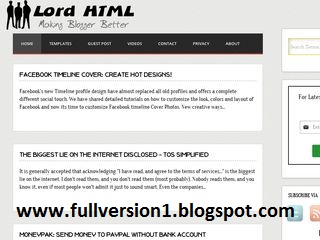
    Download Lord HTML template for Blogger


    link

    Wednesday, February 3, 2016

    HTML XML Urdu Tutorial Book Free Download


    HTML & XML Urdu Tutorial Book Free Download

    HTML-and-XML-by-Michael-Morrison-Download-urdu-ebook-free

    HTML-and-XML-by-Michael-Morrison-Download-urdu-ebook-free


    Download or read online Urdu book HTML and XML authored by Michael Morrison. This is a complete Urdu tutorial book about HTML and XML. Download or read online this free Urdu book and learn HTML and XML step by step. This HTML & XML Urdu book is for beginners so if you are looking for to learn XML in Urdu language then this book is for you. The author of this Urdu book Mr. Michael Morrison has worked hard to described every aspect of HTML and Xml. This book was actually written in English Language and someone has translated it into Urdu language. You will never find such a detailed Urdu book of HTML and Xml. So dont wait and download HTML and XML Urdu tutorial book from the below blinking buttons and start learning HTML and XML in Urdu language.
                                            Brief Information of the book  
    Book Name:HTML & XML Urdu Book
    Writer:Michael Morrison
    Language:Urdu
    Format:Pdf
    Size:103.94 MB
    Pages:248

    Contents/Sample Pages of the Urdu Tutorial Book "HTML and XML" by Michael Morrison

     
    HTML-and-XML-by-Michael-Morrison-Download-urdu-ebook-free

    HTML-and-XML-by-Michael-Morrison-Download-urdu-ebook-free


    HTML-and-XML-by-Michael-Morrison-Download-urdu-ebook-free
    HTML-and-XML-by-Michael-Morrison-Download-urdu-ebook-free

    HTML-and-XML-by-Michael-Morrison-Download-urdu-ebook-free
    HTML-and-XML-by-Michael-Morrison-Download-urdu-ebook-free

     
                               Download This Book for Free

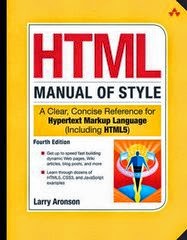
    HTML Manual of Style 4th Edition Download Free

    HTML Manual of Style 4th Edition by Larry Aronson Download Free

    • ISBN-13: 978-0321712080 
    • ISBN-10: 0321712080  
    • Edition: 4th
    THE CLASSIC WEB AUTHORING GUIDE, NOW 100% UPDATED AND BETTER THAN EVER!


    If it’s for the Web, this book will help you create it…faster, smarter, better! Don’t settle for canned templates or boilerplate designs! Take control, with the classic guide to HTML web authoring…now completely revised for the latest techniques and shortcuts, including HTML5!


    Build it right…

    • Well-planned and well-organized
    • Easy to navigate
    • Fun to read, view, and use
    • Search engine-friendly and findable
    • Reliable and consistent
    • Easy to update and maintain
    • Compatible with any browser

    Build it all…

    • Websites and pages
    • Wiki articles
    • Web services and ecommerce
    • eBay pages
    • Blog posts
    • HTML email
    • And much more!

    Contains quick reference guides to HTML elements and CSS properties–including the newest HTML5 and CSS3 improvements!

    Before downloading this ebook in pdf, please share this book and like us on face book so that you will be informed about our new book through your facebook account.
    Sample pages/Contents of HTML Manual of Style 4th Edition by Larry Aronson  download free:
    download-ebook-pdf-html-manual-of-style
    download-ebook-pdf-html-manual-of-style

    download-ebook-pdf-html-manual-of-style
    download-ebook-pdf-html-manual-of-style

    download-ebook-pdf-html-manual-of-style
    download-ebook-pdf-html-manual-of-style

    Before downloading this ebook in pdf, please share this book and like us on face book so that you will be informed about our new book through your facebook account.


    Download This Book for Free


    Tuesday, February 2, 2016

    How to make Website in to HTML free Video Tutorial

    Easy way to make Money to developing website in to HTML and sale it
    If you are a became Developer and web seller now create your own website and sale in on massive price on the internet freelancer site or Click Bank and earn more and more , There are some video tutorial or Video course that are based on learn to creating a website in to HTML language and sale out on eBay and get money from it .
    How to make a website in to HTML a Complete video tutorial package

    Watch video tutorial for making website in to HTML and earn money to sale out on internet
    Become a Web Developer and Seller Build your Own website Now if you wan to download this video tutorial package then you need to click on link and download a direct video downloader software that will help you to getting all video tutorial in to one single file that are given below.

    Friday, January 29, 2016

    Download Windos 8 Matrix Style HTML Template


    link

    Beginning HTML and CSS by Rob Larsen


    Beginning HTML and CSS by Rob Larsen download free ebook

    • ISBN-13: 978-1118340189  
      ISBN-10: 1118340183  
      Edition: 1st
    Everything you need to build websites with the newest versions of HTML and CSS If you develop websites, you know that the goal posts keep moving, especially now that your website must work on not only traditional desktops, but also on an ever-changing range of smartphones and tablets. This step-by-step book efficiently guides you through the thicket. Teaching you the very latest best practices and techniques, this practical reference walks you through how to use HTML5 and CSS3 to develop attractive, modern websites for todays multiple devices. From handling text, forms, and video, to implementing powerful JavaScript functionality, this book covers it all. Serves as the ultimate beginners guide for anyone who wants to build websites with HTML5 and CSS3, whether as a hobbyist or aspiring professional developer Covers the basics, including the different versions of HTML and CSS and how modern websites use structure and semantics to describe their contents Explains core processes, such as marking up text, images, lists, tables, forms, audio, and video Delves into CSS3, teaching you how to control or change the way your pages look and offer tips on how to create attractive designs Explores the jQuery library and how to implement powerful JavaScript features, such as tabbed content, image carousels, and more Get up to speed on HTML5, CSS3, and todays website design with this practical guide. Then, keep it on your desk as a reference!

    download-ebook-free-Beginning-HTML-and-CSS-by-Rob-Larsen
    download-ebook-free-Beginning-HTML-and-CSS-by-Rob-Larsen

    download-ebook-free-Beginning-HTML-and-CSS-by-Rob-Larsen
    download-ebook-free-Beginning-HTML-and-CSS-by-Rob-Larsen

    download-ebook-free-Beginning-HTML-and-CSS-by-Rob-Larsen
    download-ebook-free-Beginning-HTML-and-CSS-by-Rob-Larsen

    download-ebook-free-Beginning-HTML-and-CSS-by-Rob-Larsen
    download-ebook-free-Beginning-HTML-and-CSS-by-Rob-Larsen
     
                               Download This Book for Free